
Harvest is wrapped. The bins are counted, the last spray record is (hopefully) written down somewhere, and audit season is open. Between now and the end of the year, GAP auditors, buyers, and your accountant will all ask the same question: can you show me the records?
If the answer means digging through notebooks, whiteboard photos, and a spreadsheet someone's nephew built in 2019, you're not alone — but you're also paying for it in audit prep hours, wage-law exposure, and traceability risk. This article covers what farm record keeping software actually does, which records a specialty crop operation needs to keep, and how to choose a system that fits the way you farm.
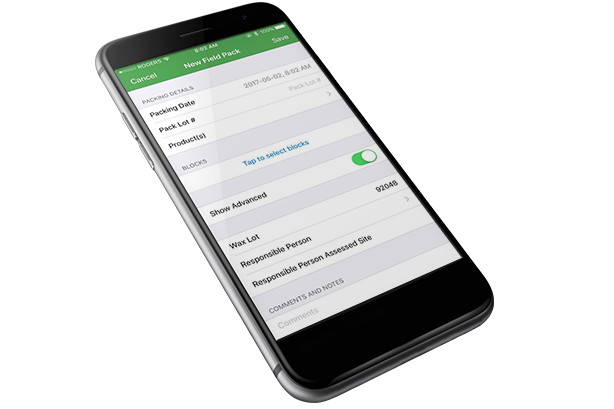
What Is Farm Record Keeping Software?
Farm record keeping software is a system that captures, organizes, and reports on the day-to-day records of a farming operation — inputs, field activities, labor, harvest, inventory, and compliance — in one place, so records can be retrieved on demand instead of reconstructed from paper.
That last part matters most. A notebook holds facts, but it can't answer "which block was this bin picked from," "who sprayed what and when," or "how many hours did this crew work last Tuesday" in under a minute. Digital farm records do. What the software replaces is the patchwork most operations run today: field notebooks, whiteboards in the shop, disconnected spreadsheets, and whatever the crew leader texted you at 6 p.m.
The Records Specialty Crop Growers Actually Need to Keep
Generic farm management guides lump record keeping into "track your expenses and activities." Specialty crop operations carry a heavier and more specific load. Orchards, vineyards, and vegetable farms answer to auditors, regulators, buyers, and wage laws — and each one wants a different record.
Here are the four record types that matter, and what each one has to capture.
Spray and Input Records (PHI and REI Compliance)
Pesticide application records are legally required, not optional. Under the federal Worker Protection Standard, workers must be kept out of treated areas during restricted-entry intervals, and your application records are how you prove it. Every spray record needs the product and trade name, rate applied, area treated, applicator, weather conditions, and the dates that govern re-entry and harvest.
Pre-harvest intervals add a second clock. Pick a block's PHI wrong and you've got fruit that can't be picked — or worse, fruit that was picked early.
A good spray record keeping system tracks PHI and REI at the farm level, monitors PPE requirements and applicator licenses, and auto-calculates tank mixes and application rates. See how Croptracker's Spray Record Keeping module handles PHI, REI, and application records — including reports in USDA and GAP compliant formats such as Spray Records, Chemical Use, and Max Spray Applications reports that compare your application counts against label maximums per block and per year.
Audit season is where this pays off directly. CanadaGAP's H1 Agronomic Inputs form, for example, requires spray data formatted into specific fields — product name, PCP#, quantity used, rate applied, area treated, earliest allowable harvest date, PHI, weather, and applicator name. Croptracker's GAP Reports and Audits module formats your spray data into those fields automatically, so an auditor request becomes a one-click report instead of a two-week scramble.
Harvest and Traceability Records
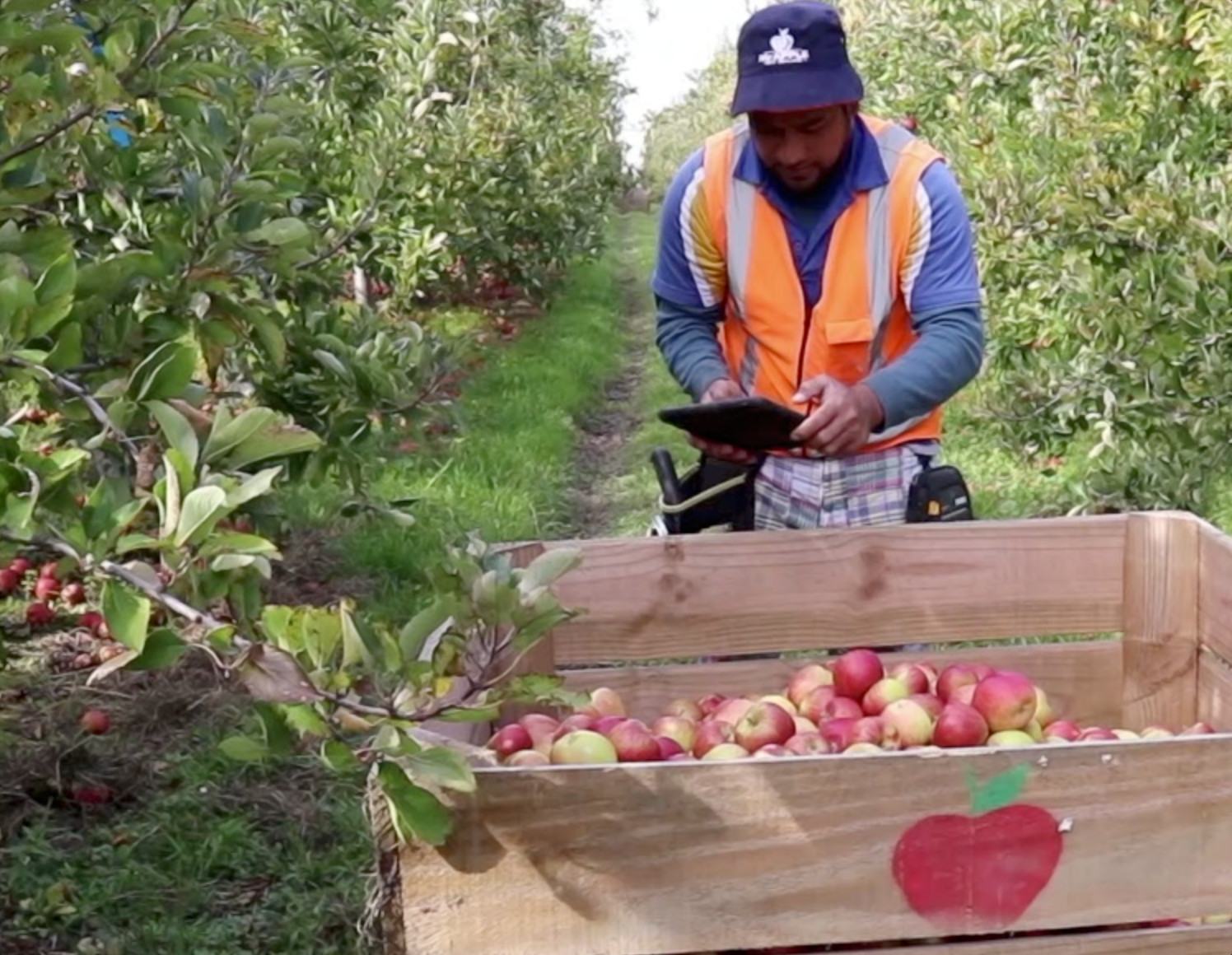
When a buyer or regulator asks where a lot came from, the answer has to be specific: which block, which day, which crew. Bin-level traceability — tagging each bin to its block of origin at the moment of harvest — is what makes that answer possible.
Traceability requirements are also tightening. The FDA's Food Traceability Rule (FSMA 204) requires firms that handle foods on FDA's Traceability Lot Code coverage list to maintain traceability lot codes and key data elements, and to provide electronic traceability data to FDA within 24 hours of an official request. Following FDA's extension of the compliance date, the operative deadline is July 20, 2028. A 24-hour turnaround on paper records is not realistic for most operations. Digital records make it routine.
Harvest records also feed yield analysis. Croptracker's Harvest module records each bin with its origin, prints and scans bin tags (including offline), and reports block-level yield per acre, per hectare, and per plant through the Block Yield Report — with on-hand balances and inventory origins in the Harvest Inventory Report.
Labor and Payroll Records
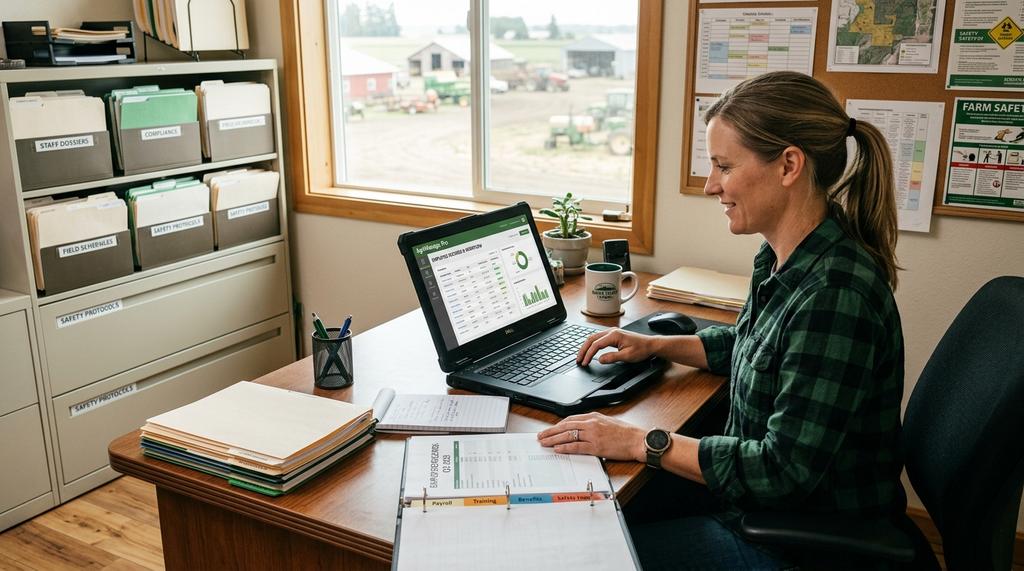
Labor is roughly 40 to 42 percent of production expenses for specialty crops, according to USDA ERS and Census of Agriculture data. That scale brings legal exposure. Piece-rate operations in California must comply with Labor Code §226.2, which requires compensating rest-and-recovery and other non-productive time at a regular rate. Federal law under the FLSA guarantees agricultural workers at least minimum wage regardless of pay structure.
That means every picker's hours and pieces need to be recorded accurately — not estimated at the end of the week. Croptracker's Punch Clock module captures Work Log entries in the field, and its Daily Piecework and Harvest Piecemeal Pay reports identify who has fallen below the minimum wage threshold and by how much, then export clean hours data to your payroll system. Official pay records must come from your licensed payroll software — but the data that feeds them, including piecework tallies, overtime hours, and Hours Offered reports for temporary foreign worker compliance, starts here.
Inventory, Storage, and Financial Records
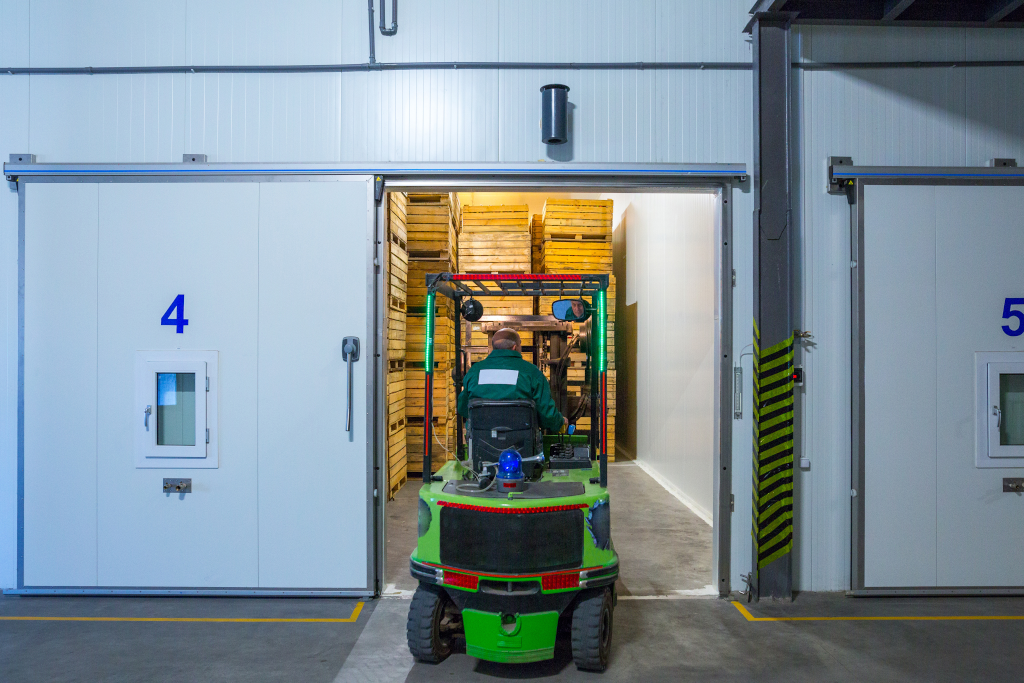
The season doesn't end at harvest. Fruit in cold storage, inventory movement between rooms and lots, and shipped balances all need tracking — Croptracker's Storage module manages storage rooms and lots and monitors product through cold storage. If a recall or quality issue surfaces in December, inventory records tell you exactly which lots are still on hand and where they came from.
Financial records complete the picture. When labor hours, spray costs, and harvest volumes are all tied to a Block, you can see the cost of production per block, not just per farm. Croptracker's Analytics and Reports turn those records into Farm Activity Cost reporting you can act on before next season's input orders go in.
Why Paper and Spreadsheets Break Down
Paper records fail in predictable ways. If you recognize three or more of these, you've found your business case:
- Audit prep eats days. Auditors ask for records by date, block, and input. Reconstructing them from notebooks and multiple spreadsheets takes a week; pulling them from a system takes a click.
- Traceability answers arrive late. "Which blocks supplied this lot?" is a one-minute question with bin-level digital records and a multi-day archaeology project with paper.
- PHI and REI depend on memory. A whiteboard entry that gets wiped, a notebook left in a truck — either one means guessing whether a block is safe to enter or safe to pick.
- Wage compliance rests on estimates. Piece-rate top-ups under §226.2 and minimum wage guarantees require per-worker, per-day accuracy that end-of-week tallies can't deliver.
- Block-level profitability stays invisible. Costs and yields recorded in different places can't be joined, so money-losing blocks hide inside a profitable farm average.
None of these are character flaws. They're structural limits of disconnected records.
What to Look for in Farm Record Keeping Software
The market includes everything from small-farm garden planners to enterprise systems. Here are the ten questions that separate a system that survives a real specialty crop operation from one that doesn't:
- Does it work offline? Rural connectivity fails at exactly the wrong moment. A farm record keeping app should capture harvest tallies, punch clock entries, and spray applications offline and sync when you're back in range. Croptracker's core field modules — harvest, punch clock, field pack, spray, and receiving — work offline, and offline capture has been proven in deployments running months without connectivity.
- Do you own your data? Ask directly: can you export every record, in standard formats, at any time? A system that holds your records hostage is a liability, not a tool.
- Is pricing modular? You shouldn't pay for packhouse modules you don't run. Look for pricing scaled to what you actually use — Croptracker is fully modular, comes with 10 users out of the box, published openly on our pricing page.
- Can it generate audit-ready reports? Not "export to Excel" — actual formatted reports. Ask to see a GAP compliance report, a CanadaGAP H1 Agronomic Inputs form, or a spray record in USDA format before you commit.
- Does it integrate with your payroll and accounting? Open API and built-in payroll integrations (Croptracker connects to Agricorp, Paylocity, IMS Payroll, AccPac, and Zambion, with custom integrations available) mean hours data flows to payroll without retyping.
- Does it understand specialty crops? PHI windows, bin tagging, piece rate, and block-level yield are specialty crop requirements. A system built for row-crop commodity operations will fight you on all of them.
- Is the data secure? Cloud-hosted records should include access controls, backups, and audit trails. Ask where the data lives and who can see it.
- What does training look like? Your crew leaders will be the ones using it in the field. Realistic training and support — not a PDF — is what makes adoption stick.
- How long has it been operating? Agtech startups fold and take your records' history with them - Croptracker has been around for 20 years. Longevity is a data-continuity guarantee.
- What's the reporting depth? Look beyond raw logs: Max Spray Applications reports, Block Yield reports, Hours Offered reports for temporary foreign worker compliance, and on-demand auditor reports should be standard, not custom work.
How Digital Records Pay for Themselves
The ROI case for farm record keeping software rests on three numbers you can estimate for your own operation.
Audit prep time. Count the hours your office currently spends assembling GAP or buyer audit documentation each year. Operations that move to a system like Croptracker's GAP Reports and Audits module generate those documents on demand — the prep cost drops from days to near zero, every audit cycle.
Compliance risk. A missed PHI, a wage top-up dispute, or a traceability failure each carry a cost far above any software subscription — and one avoided incident can pay for the system for a decade. Under FSMA 204, providing electronic traceability data within 24 hours is only realistic if your records are already digital.
Block-level profitability. When cost and yield records join at the Block level, underperforming blocks become visible. That visibility changes real decisions: which varieties to expand, which blocks to renovate, where input spend isn't returning value. The Analytics and Reports module exists for exactly this.
Choosing the Right System for Your Operation
Size and structure should drive the choice. Ask yourself:
- How many people touch records — office staff only, or crew leaders in the field too?
- Which record types do regulators and buyers actually demand of you — spray only, or spray plus traceability plus labor?
- Do you need one system for the whole operation, or point solutions per department?
- What's your connectivity like in the field?
On the last point, modular beats bundled more often than growers expect. A bundled all-in-one forces you through one vendor's workflow for every function; a modular system lets you adopt harvest first, add spray records, then bring labor online — while every module writes into the same block-level record. That's the design principle behind Croptracker's Farm Management Software: one system, one mobile app, one record per Block, from field to office.
FAQs About Farm Record Keeping Software
Q: What is farm record keeping software? A: It's a system that captures, organizes, and reports on a farm operation's day-to-day records — spray applications, harvest and traceability data, labor hours, inventory, and compliance documentation — so records can be retrieved on demand instead of reconstructed from paper.
Q: What records do specialty crop growers legally have to keep? A: At minimum: pesticide application records supporting Worker Protection Standard REI compliance, wage and hour records under the FLSA and state law (including California's piece-rate top-up rules under Labor Code §226.2), and, for firms handling covered foods, FSMA 204 traceability records by July 20, 2028. GAP and GlobalG.A.P./CanadaGAP certifications add audit record requirements on top.
Q: How much does farm record keeping software cost? A: It varies widely by operation size and scope. Croptracker's Farm Management Software starts at $27.50 per user/month with a 10-user minimum, with modular pricing so you pay only for the modules your operation uses.
Q: Can farm record keeping apps work without internet in the field? A: The good ones can. Croptracker's core field modules — harvest, punch clock, field pack, spray, and receiving — capture data offline and sync when you're back in range, a capability proven in deployments running months without connectivity.
Get Your Season's Records in Order Before Audit Season Gets Going
Every record type above — spray applications with PHI/REI tracking, bin-level harvest traceability, piece-rate Work Logs, storage inventory, and block-level costs — lives in one system with Croptracker. Your auditors, buyers, and accountant get their answers in one click, and you go into next season with block-level numbers instead of guesses.
Start with our farm record keeping resource guide for templates and a deeper walkthrough of each record type. For a comparison of field apps, see our guide to farm management apps.
References
- U.S. FDA — FSMA Final Rule: Requirements for Additional Traceability Records for Certain Foods: https://www.fda.gov/food/food-safety-modernization-act-fsma/fsma-final-rule-requirements-additional-traceability-records-certain-foods
- U.S. FDA — FSMA 204 FAQ: https://www.fda.gov/food/food-safety-modernization-act-fsma/frequently-asked-questions-fsma-food-traceability-rule
- U.S. FDA — CTE/KDE Guide: https://www.fda.gov/media/163132/download
- U.S. FDA — Risk Ranking Model for Food Tracing: https://cfsanappsexternal.fda.gov/scripts/FDARiskRankingModelforFoodTracingfinalrule/
- U.S. EPA — Agricultural Worker Protection Standard (WPS): https://www.epa.gov/pesticide-worker-safety/agricultural-worker-protection-standard-wps
- USDA AMS — GAP & GHP Audit Program: https://www.ams.usda.gov/services/auditing/gap-ghp/audit
- U.S. DOL — FLSA Fact Sheet #12 (Agricultural Employers Under the FLSA / Migrant and Seasonal Agricultural Worker Protection Act): https://www.dol.gov/agencies/whd/fact-sheets/12-minimum-wage-protection
- USDA ERS — Farm Labor: https://www.ers.usda.gov/topics/farm-economy/farm-labor/
- GlobalG.A.P. — Standard requirements: https://www.globalgap.org/
- CanadaGAP — Food safety program and record requirements: https://www.canadagap.ca/
- California Legislative Information — Labor Code §226.2 (piece-rate compensation): https://leginfo.legislature.ca.gov/